
One meeting through three deliverables
See how the outputs connect
This fictional corridor study shows the same visual standard across an agenda, a meeting follow-up and an action plan. The follow-up and plan preserve the same action IDs, owners and dates.
Fictional Riverbend example
Agenda
A 60-minute kickoff with a clear outcome, timeboxed topics and preparation notes.
Editable WordMatching PDFStructured input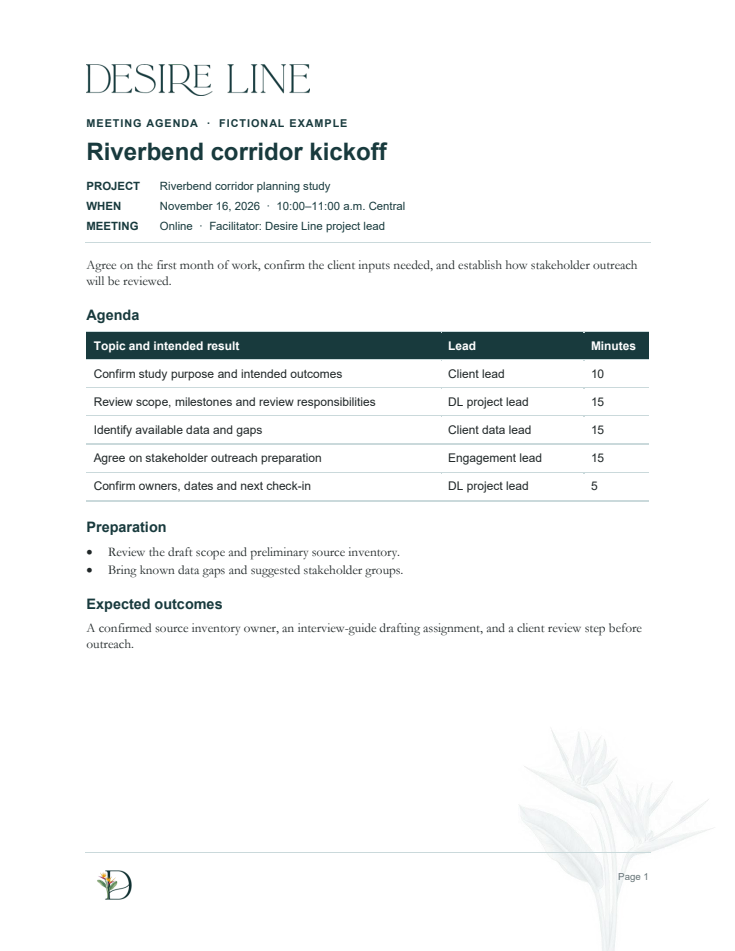
Fictional Riverbend example
Follow Up
A concise record of decisions, open questions and actions with owners and due dates.
Editable WordMatching PDFStructured input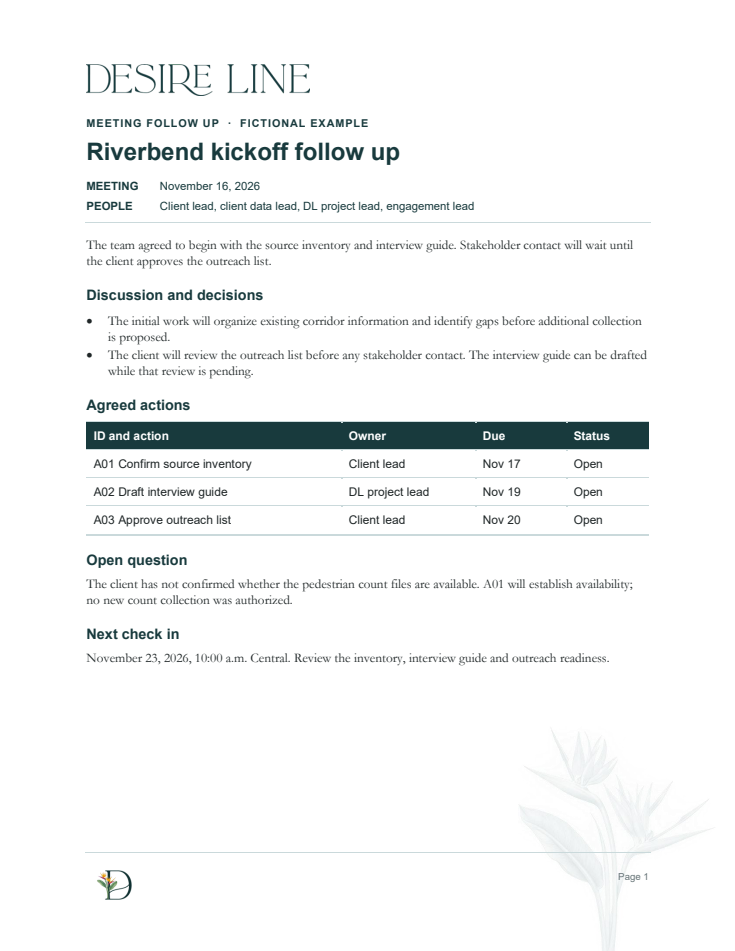
Fictional Riverbend example
Action Plan
The same action IDs carried forward with milestones, dependencies and a review date.
Editable WordMatching PDFStructured input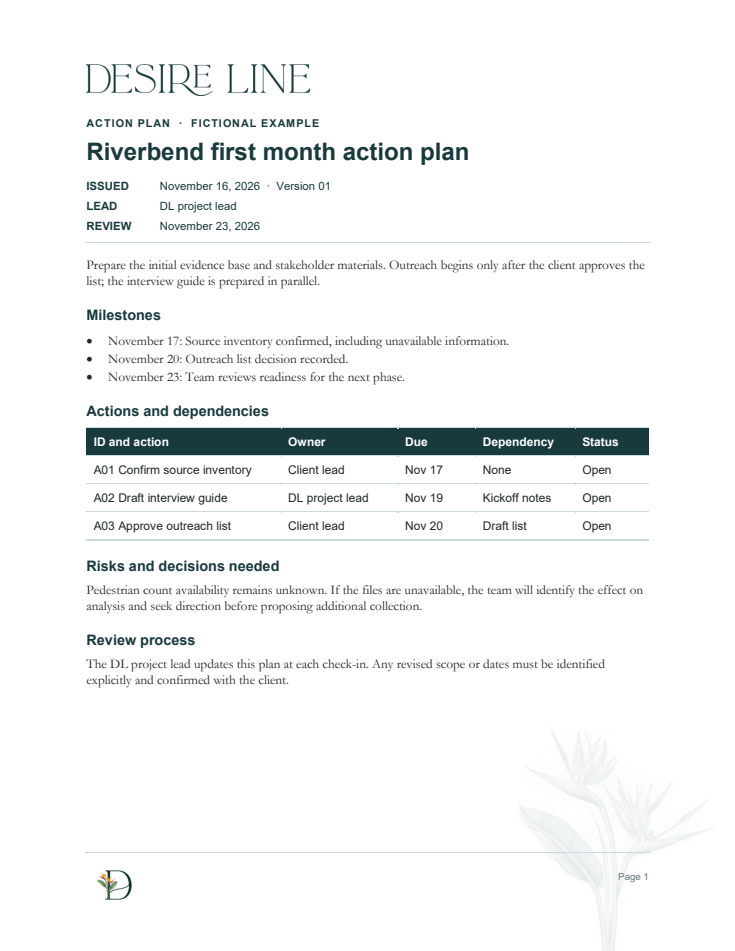
Companion follow-up email
Email stays simple and copy-ready, with consistent headers and paragraph spacing.
FICTIONAL EXAMPLE
To: [Client lead email]
Subject: Riverbend kickoff follow-up and next steps
Attachments: Sample_Follow_Up.pdf; Sample_Action_Plan.pdf

Thanks for confirming the first steps for the Riverbend corridor study. I've attached the meeting follow-up and action plan.

- Client lead: confirm the source inventory, including pedestrian count availability, by November 17.
- DL project lead: draft the interview guide by November 19.
- Client lead: approve the outreach list by November 20.

We'll wait for approval of the list before contacting stakeholders. At our November 23 check-in at 10 a.m. Central, we'll review the inventory, interview guide and outreach readiness.
Open email text
Eight ready-to-use document templates
Each template has a fixed layout for its document type. Bracketed text identifies fields to replace. Preview PDFs show the template structure.
| Deliverable | Editable template | Preview |
|---|---|---|
| Agenda | Word template | PDF preview |
| Follow Up | Word template | PDF preview |
| Action Plan | Word template | PDF preview |
| Kickoff Brief | Word template | PDF preview |
| Status Update | Word template | PDF preview |
| Information Request | Word template | PDF preview |
| Decision Brief | Word template | PDF preview |
| Engagement Plan | Word template | PDF preview |
More ways to use the assistant
Prepare discovery questions, scope-change notes, stakeholder interview guides, workshop materials, review summaries and grant-readiness briefs using the matching approved layout. Proofread client emails while preserving the sender's intent and voice.
Change content freely. Change the design only by explicit request. The setup guide explains how to adopt your own templates.